1 December 2026: Giving Tuesday. Same square on the calendar: World AIDS Day. Awareness Days lists both on that date, and its Giving Tuesday page puts it plainly: “Social media plays a central role, with hashtags like #GivingTuesday trending globally and encouraging real-time storytelling.”
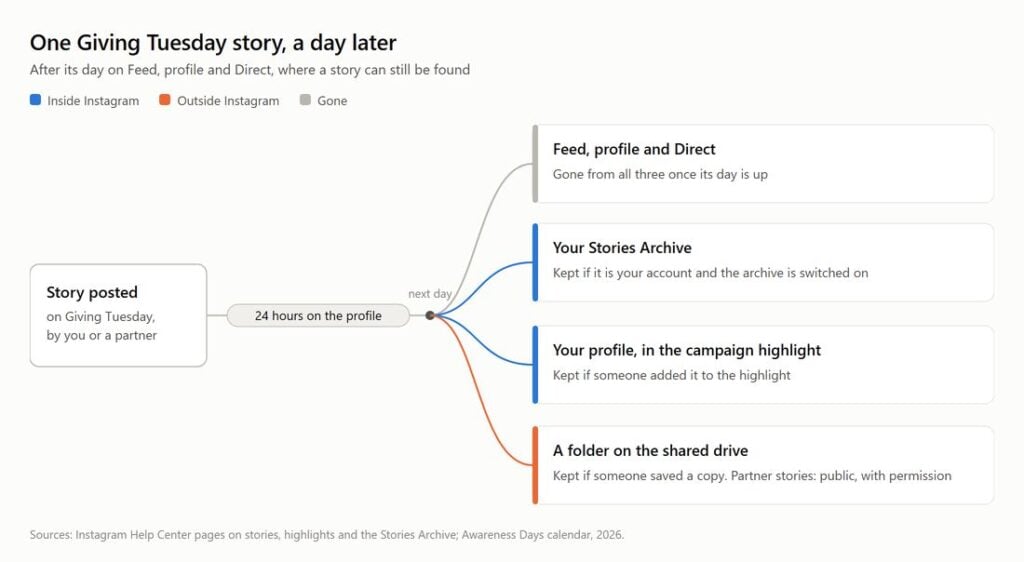
Real-time is the catch. Every story we post on 1 December is off the profile by the same time on 2 December. In January, the only place a visitor can still find the day’s stories is the campaign highlight, and the first thing they see of it is the cover.
So this is a playbook, not a design guide. The cover is step one. The other three are what the template galleries leave out.
What Instagram keeps, and for how long
Four lines from Instagram’s Help Center.
The clock: “Photos and videos you share to your Instagram story disappear from Feed, your profile and Direct after 24 hours, unless you add it as a highlight.”
The exception: “You can add stories to appear on your profile as highlights, even after they disappear.”
The safety net, for your own account: “Stories you create and share on Instagram are automatically saved in your Stories Archive, so there’s no need to save them to your phone.”
And the caveat, which is a page title: “Archive Instagram Stories or turn off Stories Archive”. It is a setting. I have yet to see a handover note that records whether it is on.
So by 2 December a story from 1 December has left Feed, profile and Direct. It survives in the archive if the account is yours and the setting is on, in a highlight if someone added it, or as a copy someone saved. This playbook secures the last two.
Who wears which hat
Three roles. In a small charity they are one person, and I write them down anyway, because that person is also answering the phone.
The designer
Holds the design tool login and the brand colours. Delivers the cover set before the campaign, then is off duty.
The poster
Runs the account on the day: posts, replies, files each story into the campaign highlight.
The archivist
Owns the copy outside Instagram: the archive setting, the partner permissions, the files. When the archivist is also the poster this job slips, so it gets its own calendar line.
Before the day: the cover set
Here the design tools win and nothing else is close. fastdl, which arrives two steps further on, has no editor, no templates and no cover of any kind.
Ranked on what each tool states on its own pages, for a charity team:
- Canva. 1.6M+ templates on the free plan, the biggest count any of the four publishes. For a registered charity the plan question disappears: Canva Nonprofits gives registered nonprofits, NGOs and social impact organisations with a stated charitable mission all of Canva Pro free, plus collaboration tools for up to 50 users. Start here. Most teams can stop here.
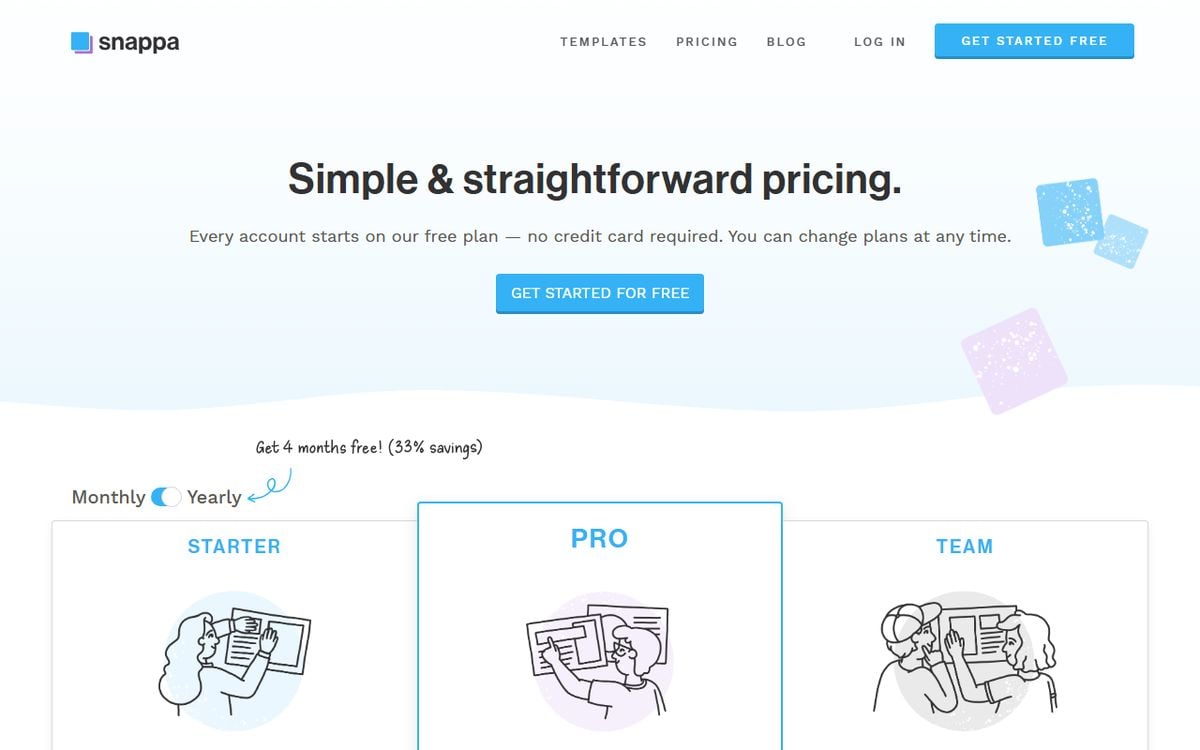
- Snappa. The only one of the four whose pricing page puts a number on free downloads: 3 a month, from 6,000+ templates. A five-cover set at one download per cover, with nothing else downloaded that month, takes two months on the free plan. Pro is $15 a month, or $10 a month billed yearly. The free plan needs an account but, in Snappa’s words, “no credit card required”.
- Figma. Starter is “Free”, or “Free limited access to Figma products” in Figma’s words, and its template FAQ is specific about size: a square around 1080 x 1080 pixels, design centred, because Instagram crops the image into a circle. The catch is cost. Figma says whether a cover template is free or paid depends on its publisher, so you find out template by template.
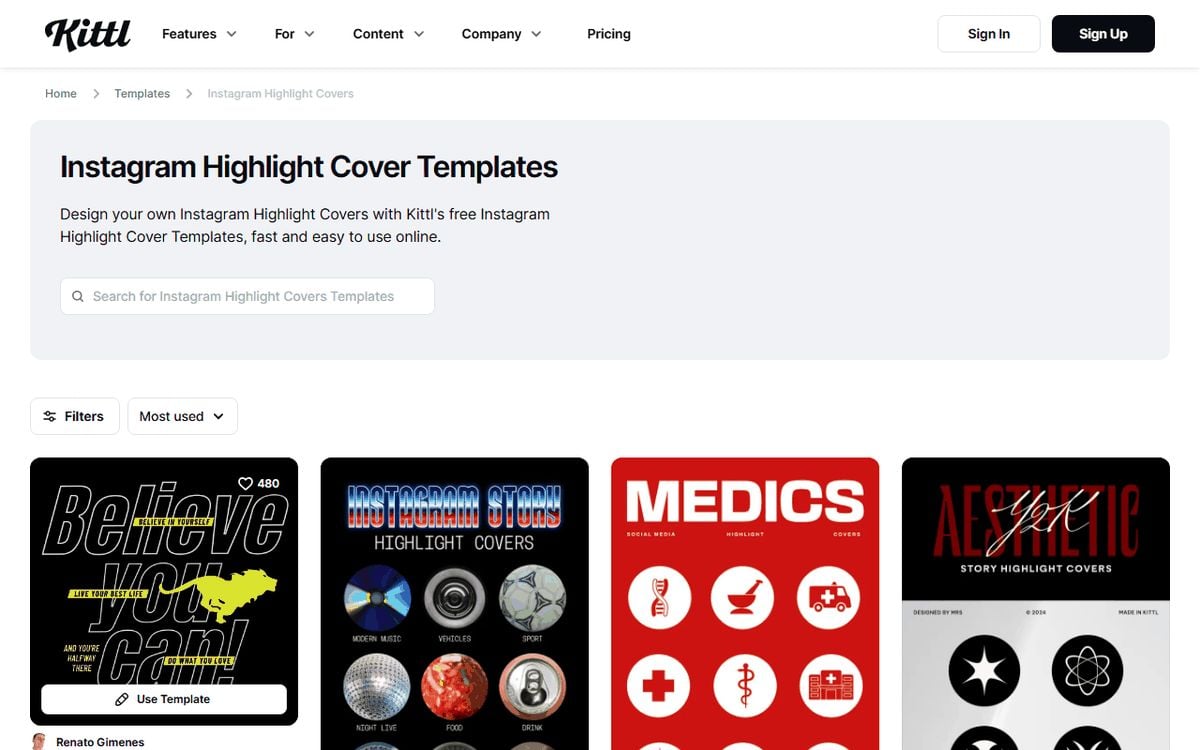
- Kittl. Good-looking free templates, but the free plan is “For personal use only (no commercial rights)”, and “High-resolution and vector exports” sit on the paid plans along with “commercial licensing”. A charity’s Instagram is not a personal account. Fine if you were paying anyway; not free for this reader.
On size the tools disagree, and Instagram’s quotable help text is silent. Snappa recommends “1080 x 1920 pixels”, a full story frame, noting that Instagram shows covers with “a circular crop”; Figma says square. I design square with the icon in the middle. Figma also reckons most profiles show 4 to 5 highlights before a visitor has to scroll, so this year’s appeal goes at the front of the row.
| Tool | What it does for the highlight | Free tier | Charity or paid route |
|---|---|---|---|
| Canva | Designs covers | 1.6M+ templates | Canva Nonprofits: Pro free, up to 50 users |
| Snappa | Designs covers | 3 downloads a month, 6,000+ templates, account needed | Pro $15 a month, or $10 a month billed yearly |
| Figma | Designs covers | Starter “Free”; templates free or paid by publisher | paid plans |
| Kittl | Designs covers | hand-picked free selection, “personal use only” | paid plans add commercial licence and high-resolution export |
| Instagram Stories Archive | Keeps your own stories | automatic | n/a |
| fastdl story saver | Saves public posts as files; its page says stories too | free, no account (0 sign-in prompts in five runs) | n/a |
On the day: post, then add
The poster’s rule is one line: every story goes into the campaign highlight within the hour it is posted.
Snappa’s guide sets the order: “You won’t be able to include a Story in your highlights until after you’ve posted it, but you can upload a highlight cover from your camera roll or photo library at any time.” The archive would let you add stories later, if it is on. But with a thermometer to update and a trustee asking for the link, “I will add them all tonight” is how a day’s stories end up in nobody’s highlight.
So the order is fixed.
Post the story.
Add it to the campaign highlight straight away.
Once the highlight exists, swap in the cover.
Figma’s FAQ describes the swap: post the cover image as a story, add it to the highlight, then edit the highlight and choose that image as its cover. I post the cover first thing, so the highlight has a face before the first real update.
Before the clock runs out: the archive
For the charity’s own stories, Instagram does this job better than any outside tool. The Stories Archive keeps every story the account shares, “so there’s no need to save them to your phone”, and a highlight can be built from it after the story has left the profile. Logged in on the charity’s phone, the poster needs nothing else for the team’s own content.
The archivist checks two things before the day: that the archive is on, and whose stories are missing from it.
The second is the gap. The archive holds stories “you create and share”. On Giving Tuesday the best stories are often not ours: the corporate partner’s matched-giving pledge, the ambassador’s thank-you video. Those live on their accounts, expire on their clock, and are not in our archive.
Two conditions, and I would skip neither. The account must be public, which is fastdl’s own rule as much as mine: “Please note that to save a Story from Instagram, you must be confident that it is viewable to the public.” And the partner must have agreed, before the day, that we may keep a copy for our report. Public does not mean ours.
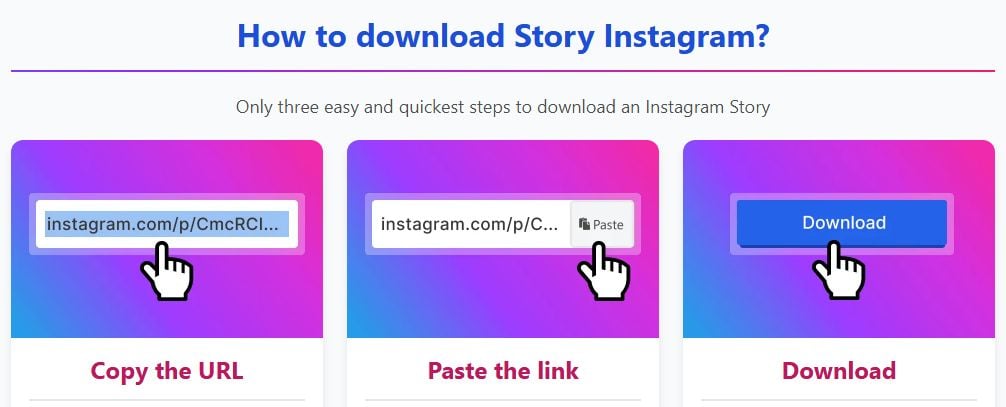
With both in place, a browser tool that can save instagram story files from a public account without a login does the job. What we saw: a public account’s username (we used NOAA’s) typed into the story saver opened the profile in the browser, where STORIES and HIGHLIGHTS sit as tabs between POSTS and REELS. Across five runs, nothing asked for an account before the download buttons showed up.
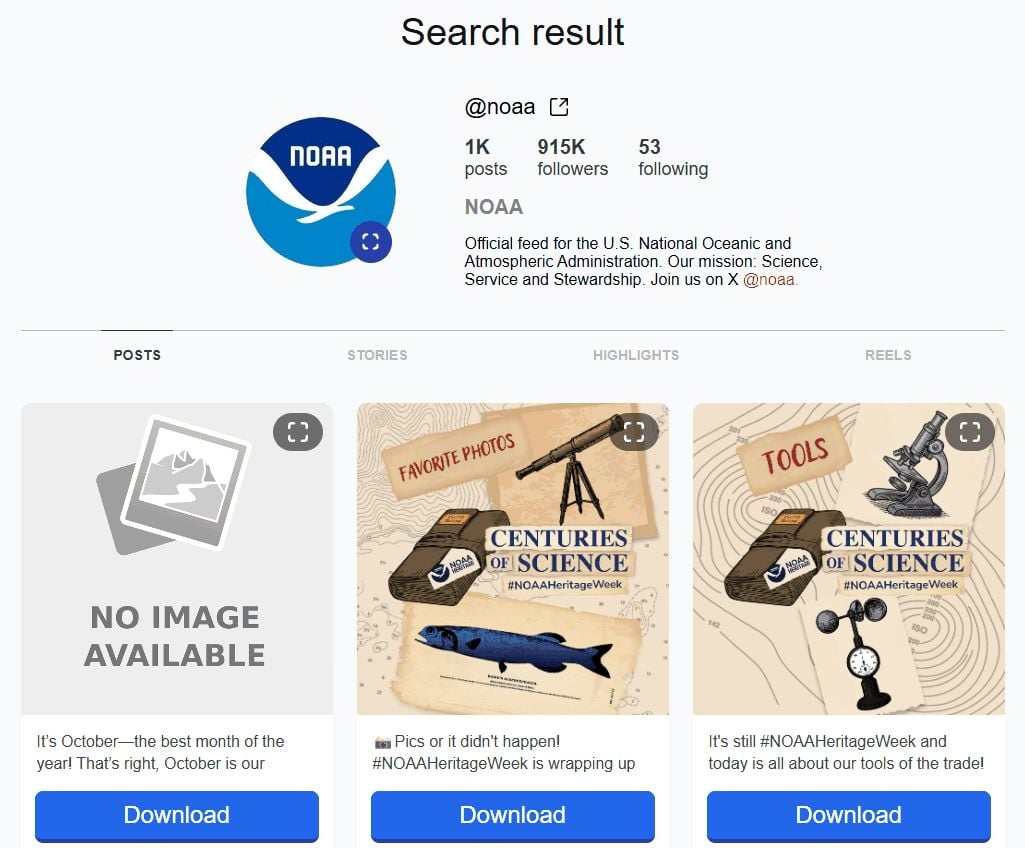
Our test downloaded from the POSTS tab, not STORIES, so I cannot describe a saved story file. What matters to the archivist is the password nobody asked for. No borrowed phone; a shared office computer is enough.
After the campaign: file the set
What goes in the folder: the cover files, the day’s own stories from the archive, the permitted partner stories and the post images, for the annual report, the trustees’ update and next year’s designer.
Post files from fastdl came back at their stored size: NOAA’s two photos were JPEGs at 1334 x 1334 and 1350 x 1350 pixels. Post files, not stories, and big enough for the website and the report.
NOAA’s own feed in that run was a dated campaign, with #NOAAHeritageWeek on 5 of the 6 post cards fastdl listed and one artwork repeated on the previews. That is what a matched cover set does for a highlight row. Their campaign, their material; the lesson is the consistency.
The calendar
1 November, Movember. Pick the design tool; a registered charity checks the Canva Nonprofits route first.
First full week of November. Design the set: square, icon centred, one look. Check that Stories Archive is on.
13 November, World Kindness Day. Dress rehearsal: post one story, add it to a test highlight, swap a cover in, delete the test.
26 November, US Thanksgiving. Covers exported. Snappa free-plan users started in October.
27 November, Black Friday. Partner permissions agreed: which accounts, confirmed public, copies allowed.
The day before. Cover on the poster’s phone, highlight name agreed, hashtags in the notes: #GivingTuesday, #GivingTuesday2026.
1 December, Giving Tuesday and World AIDS Day. Post. Add each story to the highlight straight away. Swap in the cover.
2 December, before yesterday’s last stories reach their 24 hours. Save the permitted partner stories.
First week of December. Everything into the shared drive, with a line in the handover file saying where. Next year’s comms officer may be you, and you will not remember.
Get the Awareness Days Toolkit
Every awareness day in 2026 — spreadsheet, PDF calendars, iCal feed and unlimited reading.